
Figma Weave Brings AI to Graphic Design—Give It a Job, Not the Keys
 Jess Cruz-Abalos
4 min read ·
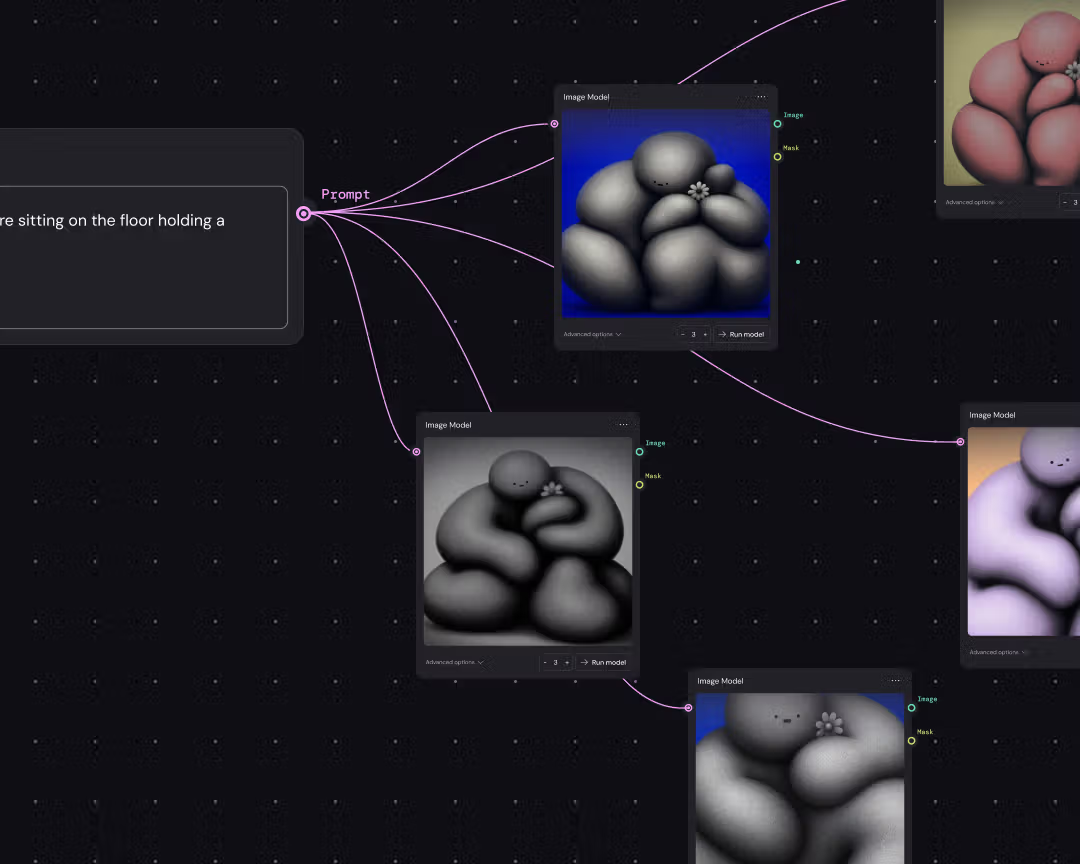
Figma Weave, the platform formerly known as Weavy, is putting generative media tools beside Figma frames. Here’s what that means for graphic design, San Diego branding, and web design—without handing the brand guidelines to a robot.
Figma Weave, formerly Weavy, is Figma’s new name for a platform that brings generative AI and professional editing for images, video, animation, motion design, and VFX into the same open-canvas neighborhood as Figma frames. The moodboard and the “what if we made it move?” phase just got a roommate.
The news: a bigger canvas, not just a bigger button
In a September 16, 2026 post, Figma says it acquired Weavy and renamed the platform Figma Weave. The point is not merely adding an AI button to a design app; the post describes a connection between Figma and Weave so creative workflows can sit alongside Figma frames.
There is a little asterisk wearing sensible shoes. Figma says paid Weave-plan users can publish tools to the Figma Community, while anyone with a full Figma seat can run Weave tools on the Figma Design canvas. The company says those tools will use Figma AI credits once generally available, so “AI everywhere” does not necessarily mean “free forever.”
The part that made us sit up
Figma’s post spotlights five tools with jobs more specific than “make something cool.” Interior Design Moodboard to Render turns a moodboard into a photorealistic 3D room; Physical Architectural Model Maker builds from a reference photo; Sketch Generator makes a hand-drawn concept from a short description; and Image Reframer extends an image to a new aspect ratio while matching lighting, shadows, and perspective.
That last one is useful for everyday brand work. A social crop, homepage hero, pitch deck, and mobile screen rarely ask an image to behave the same way. A tool for exploring those compositions is more interesting than another vaguely cinematic person staring at a mountain. The post also mentions Brand Stamp, hinting at small, repeatable helpers instead of the same production task every Tuesday.
Why this matters for actual brands
For a graphic design studio, speed is helpful. Taste is still the job. Figma Weave can make options easier to explore, but it does not decide which option fits a real audience, business, or production reality. A good San Diego branding project is not finished when an image looks impressive; it is finished when the idea stays recognizable on a sign, landing page, social crop, and tiny screen.
Our rule: use generative tools to widen the sketchbook, not outsource the point of view. Start with a brief, name the constraints, keep human review, and save final decisions in a system the team can use. That is how a tool becomes part of a brand instead of its entire personality.
What is Figma Weave, and why does it matter for graphic design?
Figma Weave is Figma’s name for the Weavy platform after Figma acquired it. According to Figma’s September 16 post, it brings generative AI and professional editing for visual media into a workflow that can live alongside Figma frames.
Can Figma Weave replace a graphic design studio?
No. Figma Weave can help generate and edit media, but it cannot choose a brand’s audience, voice, hierarchy, or the one odd detail that makes the identity feel like you instead of a very polished cousin.
A graphic design studio still earns its keep by asking better questions, editing harder, and spotting when the clever option is merely wearing a tiny hat. The tool brings ingredients; humans taste the soup.
How should a web design team use Figma Weave?
Use it for controlled exploration: reframe images, sketch concepts, test motion directions, and create options before production. Keep approved assets, accessibility checks, responsive behavior, and final quality assurance in the normal web design process.
For web design, the win is not a faster button. It is a clearer conversation between the visual idea and the interface. If a concept cannot explain itself at desktop, mobile, and in between, it is still a sketch—and that is fine. Sketches can be useful before they are pretty.
Our tiny rule for the shiny new toolbox
Give the tool a brief, not a shrug. Specific inputs make better experiments.
Make the output prove something: a composition, a motion direction, a crop, or a production shortcut.
Keep the final call human. “The robot made it” is not a brand strategy, bless its little algorithmic heart.
If your next project needs a sharper point of view than “make it pop,” that is our neighborhood: San Diego branding, graphic design, web design, web development, and mobile app development for brands that want to feel like themselves in every size and screen. Reach out through our contact page if you need a hand—or just someone to keep the robot from naming your homepage “Untitled Design Final FINAL 3.”